
- Step 4 - Class groups and timetable grid
- In this step you must inform which the class groups are and the curriculum grid of each one of them.
- See the Step 4 options:

- Each class group can optionally have an operating-hours restriction. For this, each class group has a table of the week you created in Step 2, where you can enable / disable the class group's operation.
- Use this option if, for example, you are building a timetable for high school and elementary school with teachers shared between them, where high school has 6 lessons per day and elementary school has 5 lessons per day.
- See an example: "Class Group: 1st Year of High School" with no operating restrictions, and Class Group "5th Grade A" which does not operate in the last time slot of every day.
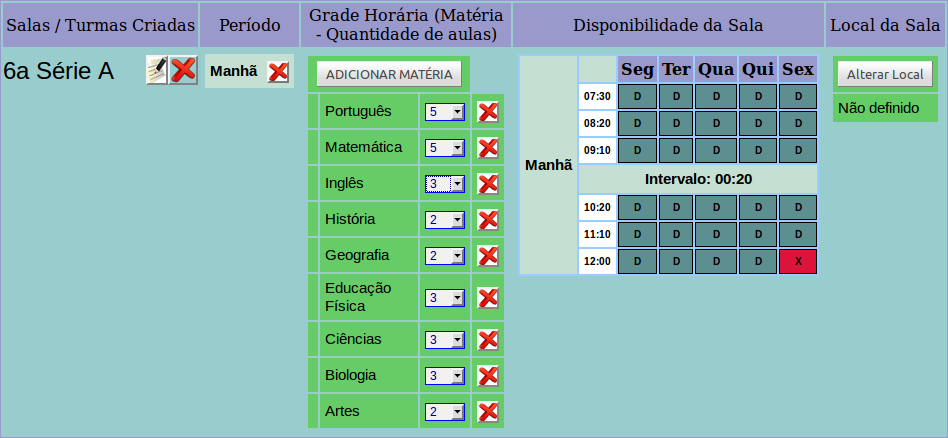
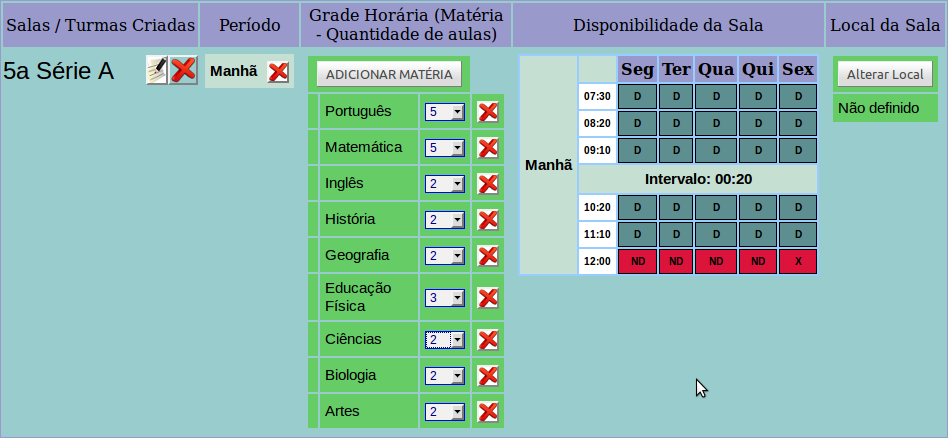
- Example with merging class groups: Class Groups "5th Grade A" and "6th Grade A" take Physical Education together.
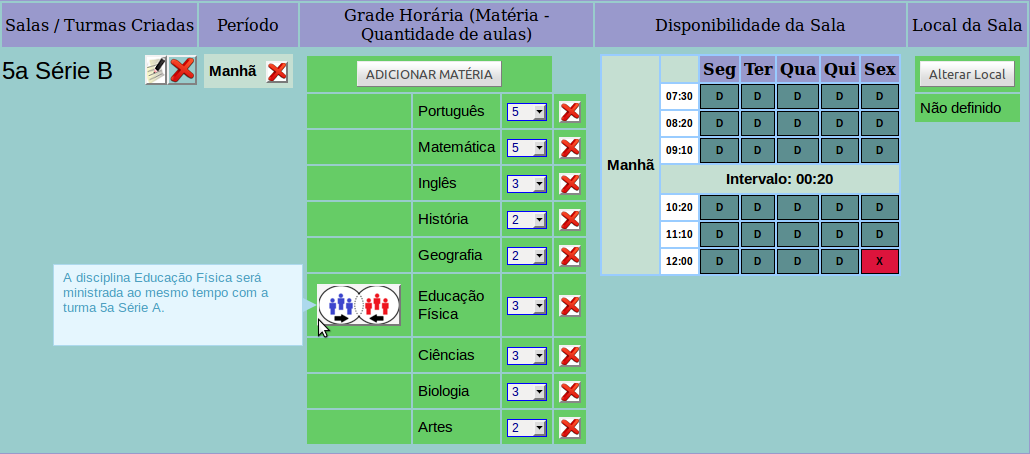
- A merging of lessons can only be created between class groups that have the same subject and quantity as their weekly curriculum grid.